What causes brand drift in pharma research presentations, and how does the PowerPoint Reset button fix it?
April 11, 2026 | 5 min read
If your team’s so-called template is really just a deck someone liked, this post looks at why brand drift happens in high-stakes decks and how the Reset button and Slide Master fix it.
Picture this. A team of consultants and analysts is building a pharma market research presentation. Pipeline analysis, competitive landscape, payer dynamics, the kind of deck that takes serious thinking to structure and even more effort to get right. Five people are working on it across three days. Everyone is heads-down, focused on getting the numbers right and the commentary sharp.
Nobody is thinking about whether the title placeholder shifted two centimeters to the left. Nobody notices when someone pastes a chart from an old deck and brings a different font along with it. Nobody catches the moment a logo gets nudged off its anchor point because someone needed more room for a table.
By the time the deck lands in the client’s inbox, it looks assembled. Not designed. Not consistent. Just assembled. And in consulting and research, that gap is a credibility problem.
You probably don’t have a template. You have a deck someone liked.
This is more common than most teams want to admit. Someone built a great-looking presentation. It got used again. Then again. People started saving it as their “base file.” Gradually, it became the de facto template, not because it was built to function as one, but because nobody replaced it with anything better.
The problem is that a reused deck is not a template. It has no structural logic holding it together. When someone edits a placeholder or changes a font “just for this slide,” there is nothing to pull it back. Every person who touches it makes a small decision, and those small decisions accumulate. Six months later, you have fifteen versions of your “template,” none of which match each other, and none of which match your actual brand guidelines.
For a two-person team sending one deck a month, this is manageable. For a consulting or research firm sending five decks a week across multiple analysts and senior staff, it is a quiet operational failure.
Why brand drift happens in high-stakes decks
The pharma example is not an edge case. It is exactly the environment where brand consistency is hardest to maintain and most important to get right.
Complex content decks, market research, competitive intelligence, strategic reviews, are inherently collaborative. Multiple contributors, multiple rounds of input, tight timelines, and a constant pressure to get the analysis right. Design consistency sits at the bottom of that priority list, which is completely understandable. The problem is that clients do not separate the two. A deck that looks inconsistent signals, even subconsciously, that the team was not fully in control. It undermines the very authority you have spent the project building.
The font that shifted to bold on slide nine is not a design error. It is a trust signal sent in the wrong direction.
What a real template actually does
A proper corporate PowerPoint template is not a pretty file. It is a governed structure. Everything that should be consistent, logo placement, color palette, typography, footer, spacing, is defined and locked inside the Slide Master. Every layout your team needs (title slide, section header, content slide, data slide) is pre-built and ready. When someone starts a new deck from the template, they are not copying a file. They are working inside a system.
To build one properly, start in Slide Master (View > Slide Master). Define your brand elements at the master level, logo, colors, fonts, footers, so they cascade across every layout. Build out the layouts your teams actually use. Lock what should not move. Then save it as a .potx file and distribute it through shared drives or your intranet. In larger organizations, IT can set it as the default, which removes the choice entirely and removes the risk along with it.
The goal is simple: no matter who opens the file or what they add to it, the structure holds.
If your team does not have a template built to this standard yet, and most do not, that is worth fixing before the next high-stakes deck goes out. Qcept builds branded PowerPoint templates for consulting, research, and advisory firms, structured to hold under real collaborative conditions. You can explore that here.
The reset button: Your last line of defense
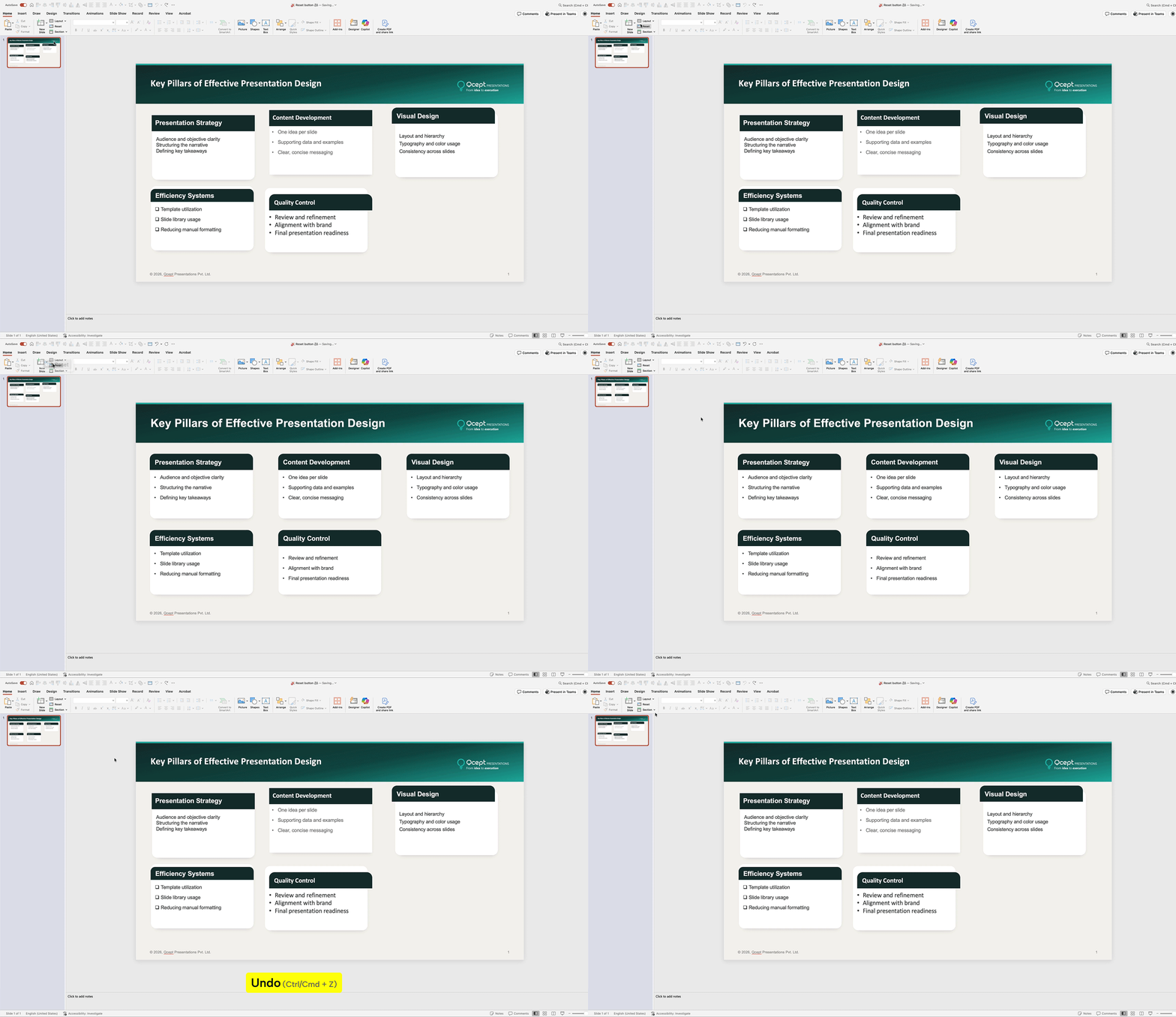
Even with a solid template, things slip. Someone resizes a text box. A title placeholder moves. A content area gets reformatted mid-presentation because the slide needed to accommodate a larger table. These are not mistakes. They are the natural output of real collaborative work.
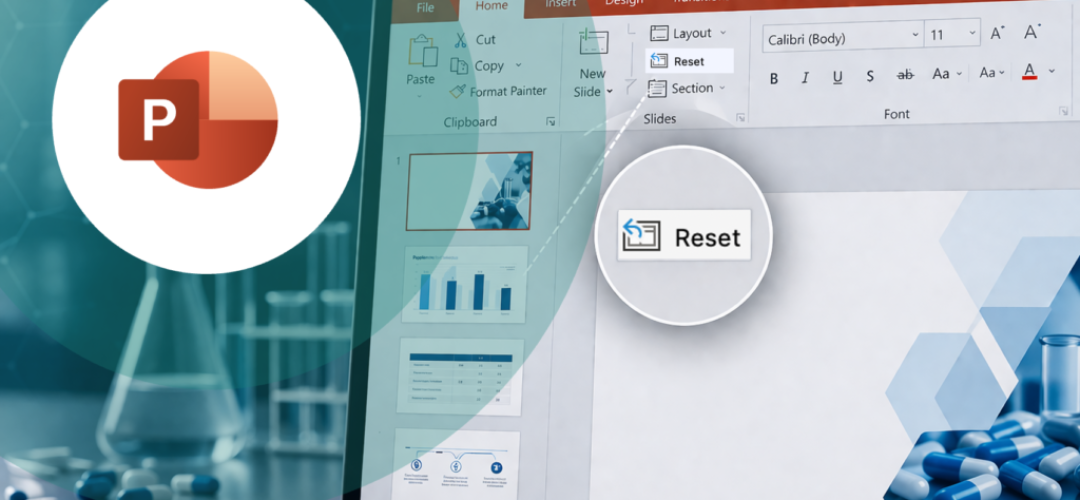
The Reset button, found in the Home tab under the Slides group, is what corrects all of it in one click. It realigns every placeholder back to its position as defined in the Slide Master and reapplies the original formatting, font, color, spacing, to anything that has drifted.
In a high-stakes deck built by multiple contributors, running Reset as a final step before distribution takes thirty seconds and fixes what could otherwise take thirty minutes to catch manually. It is not a design feature. It is a quality control step.
One caveat worth knowing: Reset only works on placeholders defined in the Slide Master. Manually inserted text boxes or shapes fall outside its scope. This is why the template architecture matters so much. If your team is building slides using proper placeholders, Reset works exactly as intended. If people are inserting custom shapes for everything, you are working outside the system and Reset cannot help you.
Scaling consistency across a team
Brand consistency is easy when one person controls the deck. It gets complicated the moment a second person opens the file. At ten people, without structure, it becomes close to impossible to manage manually.
The answer is not more oversight. It is better infrastructure.
Maintain a template library organized by use case, client-facing decks, internal reviews, pitch presentations, data-heavy reports. Make it easy for people to find the right starting point. Build Reset into your team’s pre-send checklist. Run a short internal session showing people how the Slide Master works and why it matters. Not a lecture on brand guidelines, just a practical walkthrough of how the system is designed to protect their work.
When teams understand that the template is doing work for them, not just setting rules, they use it properly. And when they use it properly, the brand holds.
The conclusion: The actual cost of getting this wrong
A misaligned logo or inconsistent font in a pharma research deck does not sink a project on its own. But it is noticed. By the client who has seen a hundred consultant presentations. By the senior stakeholder who judges quality instinctively. By the analyst on the receiving end who wonders, briefly, whether the same rigor applied to the data as to the slide formatting.
These are small moments. They add up.
If you are scaling a consulting practice, a research function, or any team that communicates regularly with external stakeholders, brand consistency is not a design preference. It is part of how you signal that you are serious.
A proper template and a disciplined Reset habit are two of the lowest-effort, highest-return investments your team can make. Audit your current “template” today. If it is just a deck someone liked, it is time to build something that actually holds.

We use storytelling and design to build high impact presentations for leading brands
PowerPoint design
services and outsourcing
Enterprises, analysts, consultants
Investor pitches
and fundraising narrative
Founders, fund managers
Sales presentations, proposals, and collaterals
Sales & marketing teams
PowerPoint template and visual slide bank
Enterprises, advisory & research firms
CXO presentations
and thought leadership
IT-BPO services & consulting firms
Financial, ESG,
and annual reports
Financial services, large enterprises
Training – PowerPoint design and visualization
Sales team, analysts, consultants
Conference and event presentations
Keynote speakers, event managers